Eloquent Notes







Local Voice Dictation & AI Note Pipeline for Obsidian
Eloquent Notes is a lightweight, system-tray-centric background utility for Linux inspired by Google Eloquent. It captures audio directly from your microphone in-memory, transcribes and structures your dictation using a local three-phase Gemma 4 model pipeline via Ollama, and automatically enriches and writes the formatted notes directly to your Obsidian vault.
Key Features
System Tray Centric UX
Operates silently in the Linux system tray. Single-click or keybinding toggles recording instantly with visual and acoustic status cues.
Context Menu Actions
Right-click the tray icon to quickly access Start/Stop controls, open the graphical Configuration editor, or reload settings on-the-fly.
Decoupled CLI
Lightweight eloquent-notes toggle command communicates with the running daemon over zero-latency IPC sockets without GUI overhead.
Offline & Private
All transcription, rewriting, and metadata extraction happens 100% locally on your device using Ollama and Gemma 4 models.
Dynamic In-Memory Icons
State icons (Idle gray microphone, Recording red dot, Processing orange hourglass) are dynamically rendered with Qt QPainter in RAM.
Advanced Obsidian Integration
Supports automatic Markdown callouts, vault topic scanning for [[Wikilinks]], daily journal appending, and PyYAML frontmatter merging.
Customizable Prompts
Tailor system and user Markdown prompts for every stage of the 3-phase LLM pipeline and structured JSON retry logic.
Custom Note Templates
Define custom layouts for standalone notes and daily journals using dynamic placeholders like {title}, {text}, and {tags}.
Graphical Configuration Interface
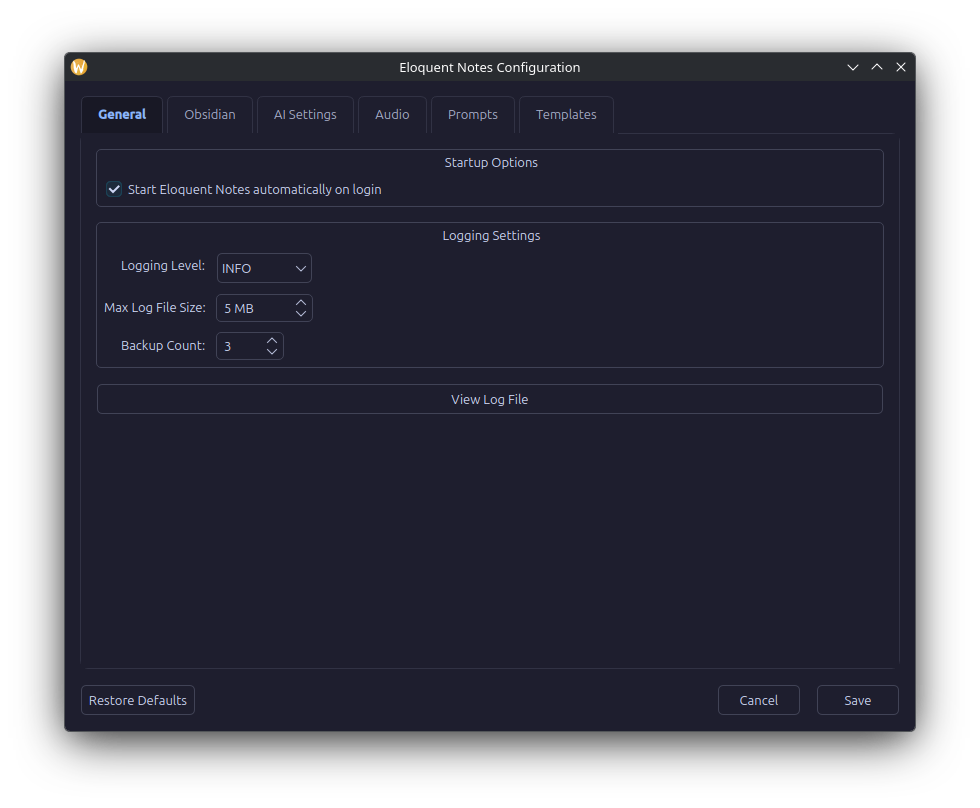
Eloquent Notes includes a full-featured PyQt6 GUI for editing your settings, AI endpoints, audio parameters, prompts, and templates visually.
Documentation Overview
Architecture & Design
Explore the PyQt6 event loop, QSystemTrayIcon, QLocalServer IPC, in-memory zero-disk audio capture, and state icon rendering.
Three-Phase AI Pipeline
Deep dive into Phase 1 (Transcription), Phase 2 (Rewriting), Phase 3 (Classification), model preloading, and JSON retry validation.
Obsidian Vault Integration
Learn how callout formatting, vault-wide wikilink matching, daily note appending, and YAML frontmatter merging operate.
Configuration & Templates
Detailed reference for config.yaml settings, prompt customization, and template placeholder definitions.
System Tray & Shortcuts
Guide to desktop environment shortcuts (GNOME, KDE Plasma, i3/Sway) and tray interaction states.
CLI & Logging
Command line reference for eloquent-notes subcommands, autostart configuration, and XDG log file rotation.
Installation & Setup
Step-by-step instructions for installing via uv, pipx, or editable development builds along with prerequisites.