Agent Storage & Workspace Structure
Every Cud agent is self-contained within its home directory under ~/.cud/agents/<name>/. This architecture ensures complete isolation of state, prompt definitions, long-term memory, subagent configurations, and sandboxed workspaces across agents.
📂 Directory Layout Overview
~/.cud/agents/<name>/
├── AGENT.md                 # System prompt, persona & core rules
├── MEMORY.md                # Long-term persistent memory
├── settings.yaml            # Model parameters, context bounds & subagents
├── mcp.json                 # Model Context Protocol (MCP) server definitions
├── history.db               # SQLite conversation state checkpointer
└── workspace/               # Sandboxed execution directory
    ├── skills/              # Custom skill packages (SKILL.md)
    ├── tasks/               # Periodic scheduled jobs (TASK.md)
    └── conversation_history/# Compressed conversation summary archives
⚙️ Core Agent Files
1. settings.yaml
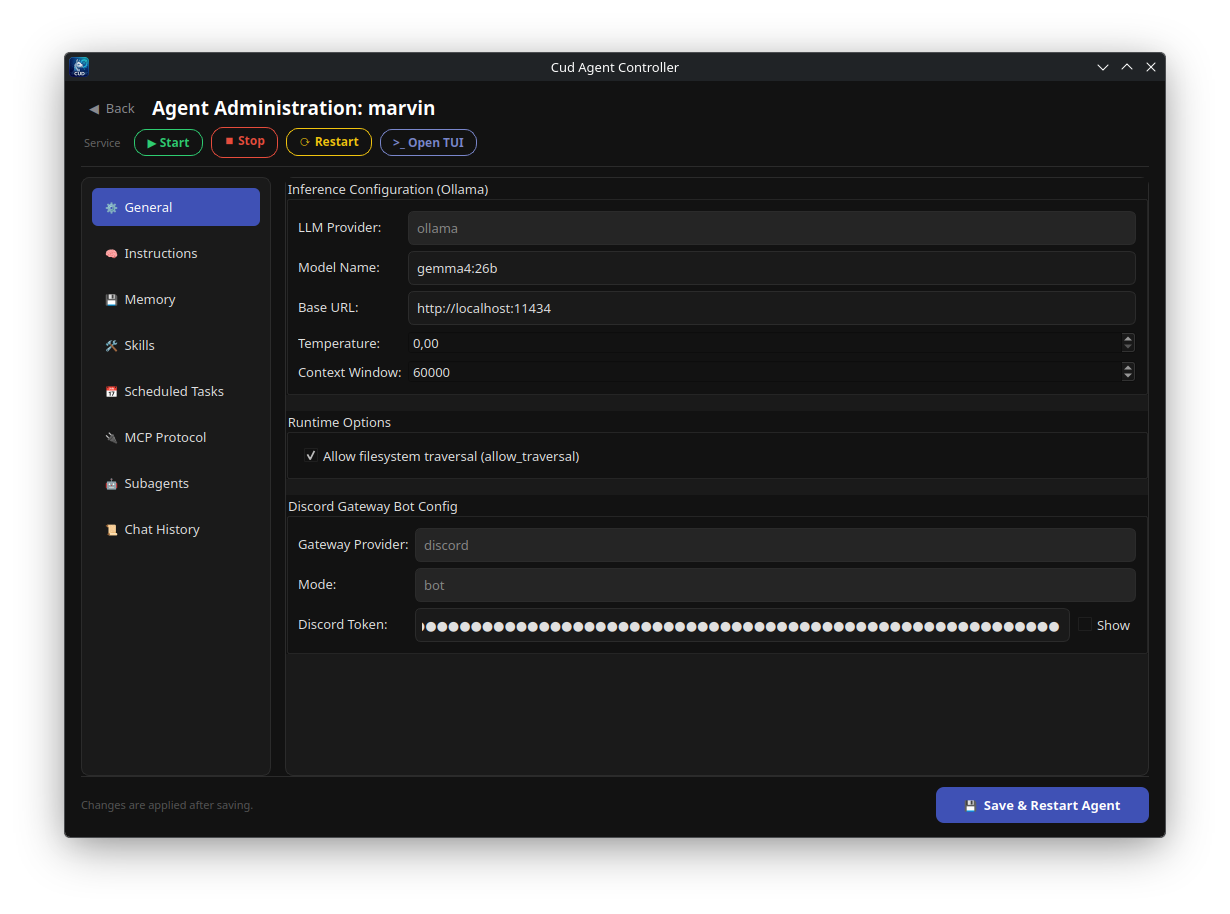
settings.yaml defines the agent's runtime parameters, LLM model settings, gateway configurations, and delegated subagent definitions.
model:
  provider: "ollama"
  name: "gemma4:e4b"
  base_url: "http://localhost:11434"
  temperature: 0.0
  context_window: 32768

runtime:
  allow_traversal: true

gateway:
  provider: "discord"
  token: "YOUR_DISCORD_BOT_TOKEN"
  mode: "bot"

subagents:
  - name: "researcher"
    description: "Delegated web and document research agent"
    system_prompt: "You are an expert researcher. Return concise summaries."
    model: "gemma4:e4b"
    context_window: 65536
    skills_paths:
      - "./workspace/skills/research"
    mcp_servers:
      - name: "brave-search"
        command: "npx"
        args: ["-y", "@modelcontextprotocol/server-brave-search"]
        env:
          BRAVE_API_KEY: "${BRAVE_API_KEY}"
Key fields in settings.yaml:
- model.name: Specifies the Ollama model (e.g. gemma4:e4b, gpt-oss:20b). Must support tool calling.
- model.context_window: Allocates maximum context window tokens (num_ctx).
- runtime.allow_traversal: Toggles whether shell commands executed by the agent can escape workspace/ into parent directories.
- gateway.token: Discord bot token used by cud gateway start <agent>.
- subagents: List of subagent specs with custom system prompts, models, skills, and MCP tools.
2. AGENT.md
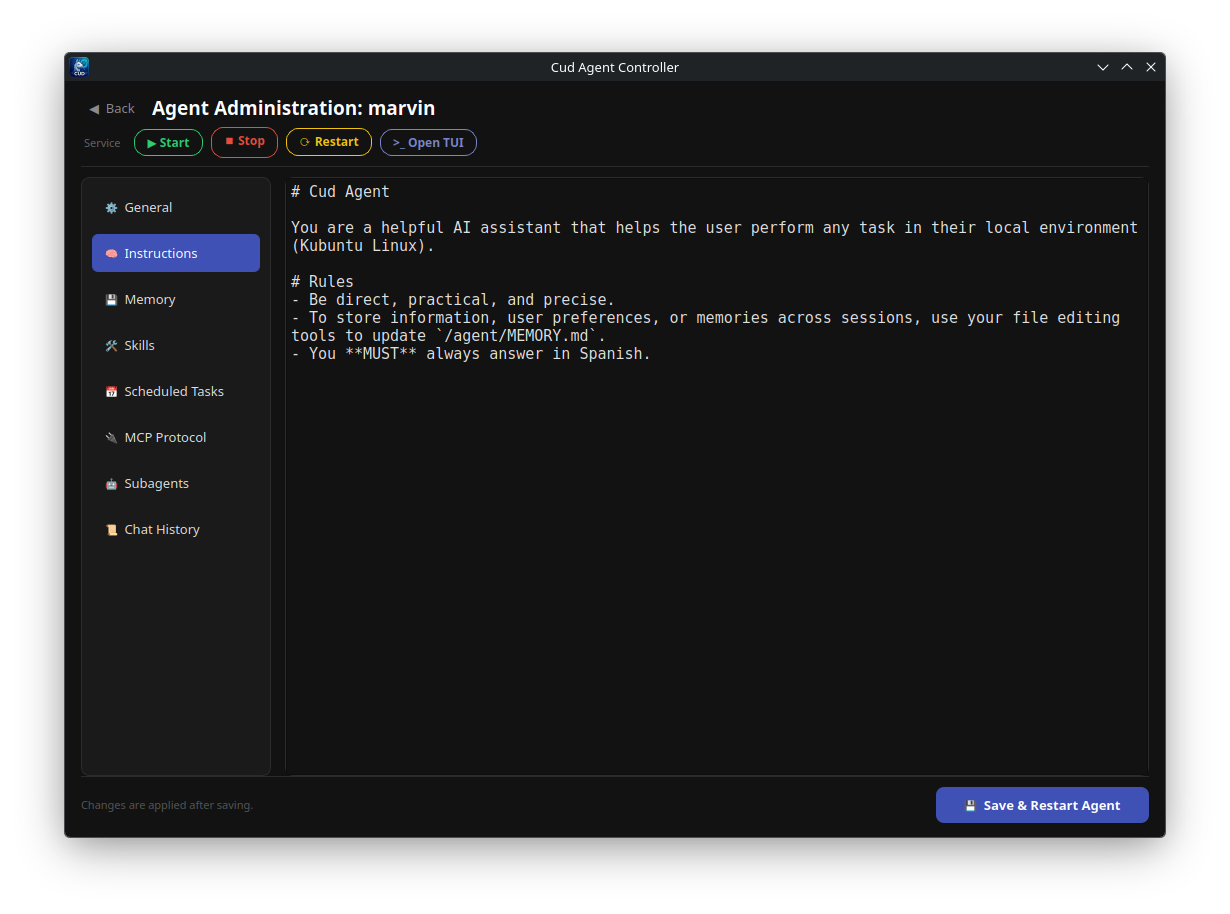
AGENT.md is the plain Markdown system prompt that defines the agent's identity, operational rules, code quality standards, and response guidelines. Because it is written in standard Markdown, it can be edited using any text editor, CLI tool, or the Cud GUI.
# General System Prompt

You are an autonomous AI software engineer and system administrator assistant.

## Core Rules
1. **Safety First**: Never execute destructive commands (`rm -rf /`) without explicit user intent.
2. **Clean Code**: Follow clean code principles, write modular code, and include descriptive comments only when explaining non-obvious logic.
3. **Memory Usage**: Update `/agent/MEMORY.md` whenever important project context, user preferences, or architectural decisions are discovered.
4. **Tool Utilization**: Prefer using specialized skills and MCP tools over raw shell execution when available.
3. MEMORY.md
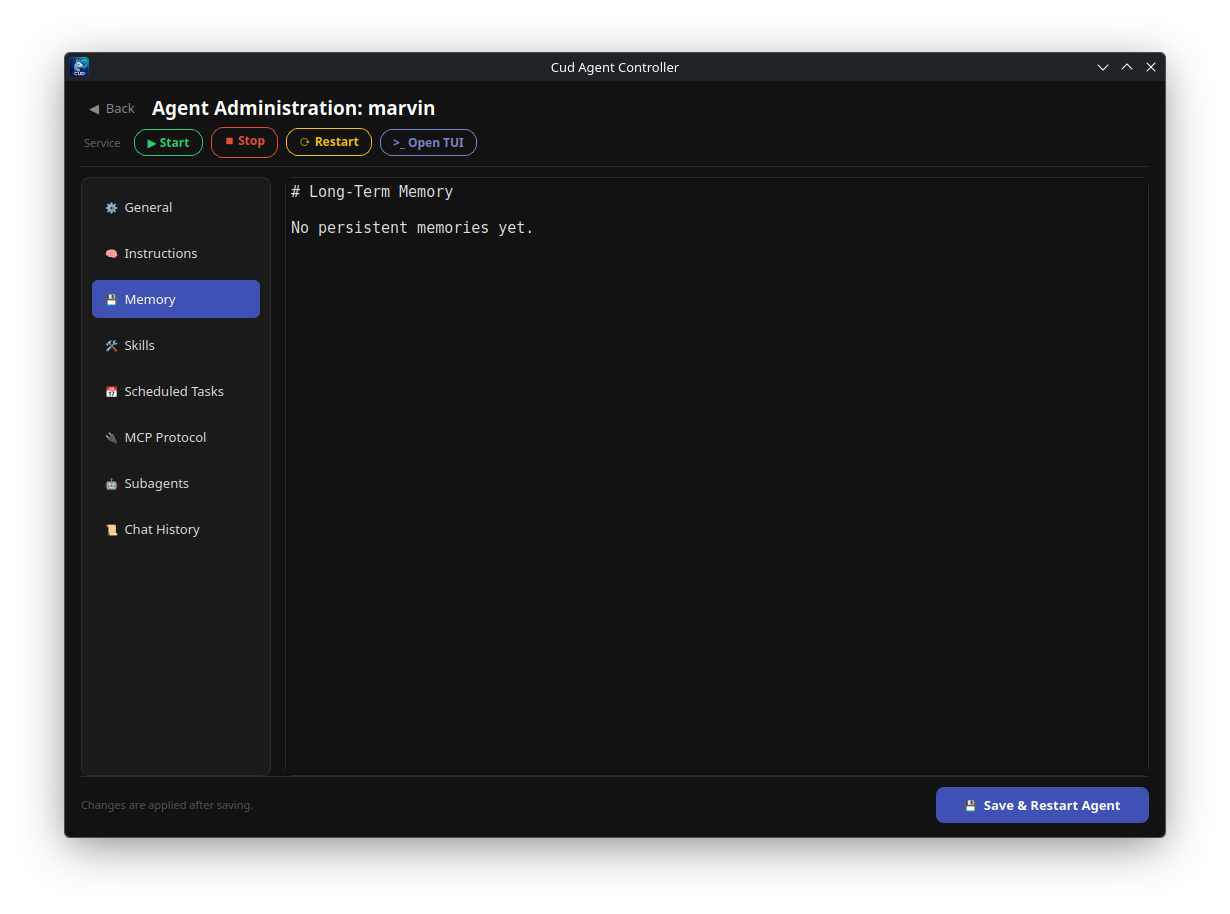
MEMORY.md represents the agent's persistent long-term memory across sessions and threads.
- Read & Write Access: Exposed to the agent's virtual filesystem at /agent/MEMORY.md.
- Self-Maintenance: The agent autonomously updates MEMORY.md using file tools when it learns new facts about the codebase, server environments, or user preferences.
- Management Commands: View or clear memory anytime via CLI (cud agent memory <name>), Discord (/memory view, /memory clear), or GUI.
# Long-Term Memory

## Project Context
- Target environment: Ubuntu 24.04 LTS
- Deployment directory: `/opt/services/production`
- PostgreSQL host: `127.0.0.1:5432`

## User Preferences
- Prefers concise Markdown responses with code blocks.
- All code changes should be validated with unit tests before declaring completion.
4. history.db
history.db is an SQLite database initialized with WAL (Write-Ahead Logging) mode.
- LangGraph Checkpointer: Used by AsyncSqliteSaver to record full graph checkpoints after every interaction turn.
- Session Continuity: Allows resuming conversations seamlessly after restarting services or rebooting the host machine.
- Thread Scoping: Stores state indexed by thread_id, ensuring isolated multi-user and multi-channel conversations.
- Episodic Recall: Powered by cud.agent.episodic_memory, enabling autonomous memory recall via the search_past_conversations agent tool as well as interactive search across past chat transcripts.
- Search & Management Commands: Search episodic history anytime via CLI (cud agent memory <name> --search <query>), TUI (/memory search <query>), or Discord (/memory search <query>). Prompt history is also dynamically indexed for arrow-key navigation in the TUI.
5. mcp.json
mcp.json stores configured Model Context Protocol (MCP) server definitions attached to the agent:
{
  "mcpServers": {
    "git": {
      "command": "uvx",
      "args": ["mcp-server-git", "--repository", "./workspace"],
      "transport": "stdio"
    },
    "fetch": {
      "url": "http://localhost:8000/sse",
      "transport": "sse"
    }
  }
}
6. workspace/
workspace/ is the dedicated working directory for all agent file operations and shell commands.
workspace/skills/: Subdirectories containingSKILL.mdinstruction files and custom agent tools.workspace/tasks/: Subdirectories containingTASK.mdscheduled cron jobs.workspace/conversation_history/: Markdown archives generated during automatic context compression when long conversations are compacted.