Custom Subagents Architecture
Cud allows primary orchestrator agents to delegate complex, multi-step tasks to specialized Subagents. Subagents operate in dedicated sub-routines with their own LLM models, custom system prompts, isolated skills, and private MCP servers.
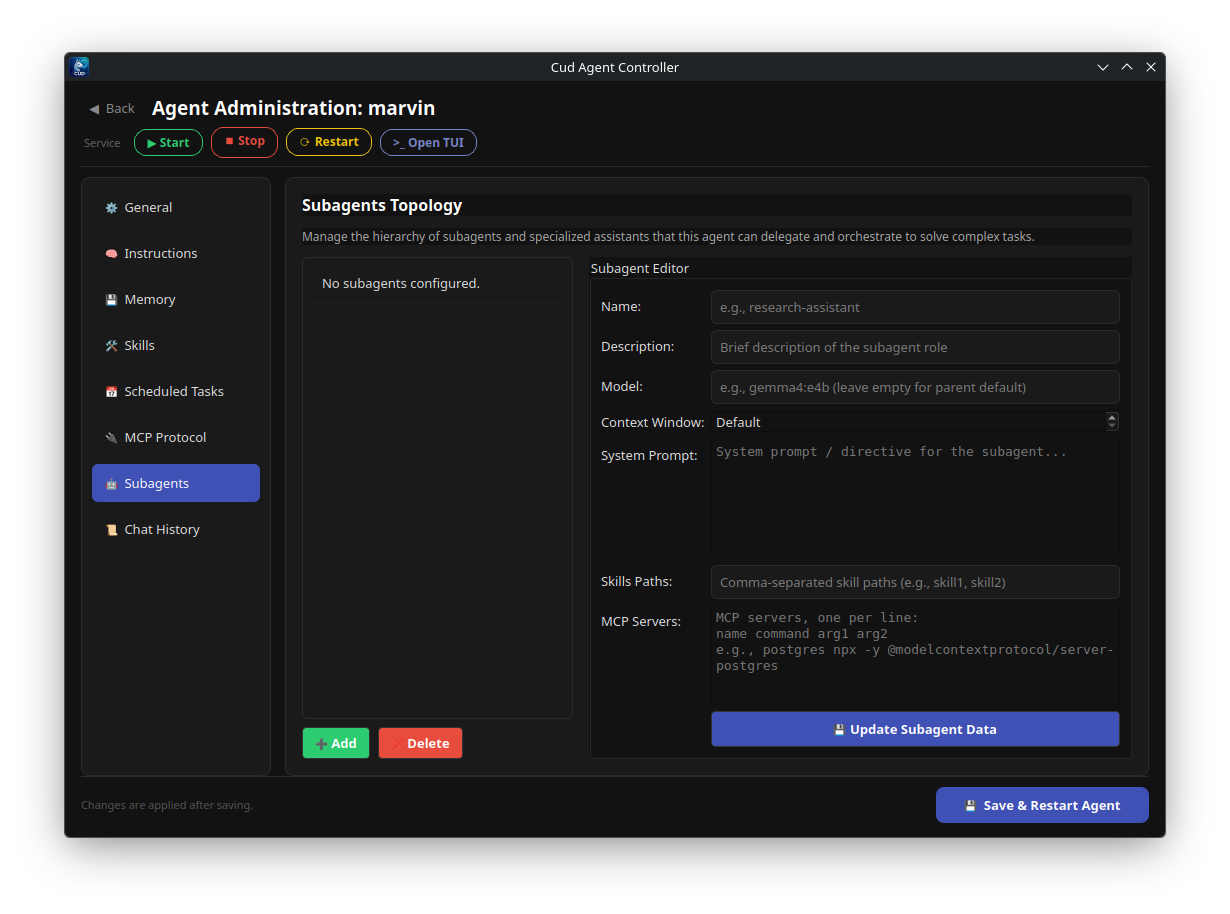
Subagents Architecture & Task Delegation
In a complex workflow, a primary orchestrator agent may need specialized domain expertise (e.g., performing deep web research, querying a database, or generating code tests). Rather than cluttering the primary agent's system prompt with contradictory instructions or filling its context window with raw tool outputs, the orchestrator delegates sub-tasks to subagents.
Context Isolation Principle
Cud strictly enforces Context Isolation:
- Private Sub-routines: When the orchestrator delegates a sub-task, the subagent initializes its own isolated execution thread.
- Internal Tool Chaining: All intermediate tool calls, raw shell outputs, file reads, and internal reasoning steps performed by the subagent remain strictly within the subagent's local state.
- Clean Hand-off: Only the subagent's final distilled answer is returned to the main orchestrator agent.
This prevents prompt bloat, keeps the orchestrator focused on high-level plan execution, and saves context window space.
Defining Subagents in settings.yaml
Subagents are configured declaratively in the primary agent's settings.yaml under the subagents list.
Configuration Schema Example
model:
  provider: ollama
  name: gemma4:e4b
  base_url: http://localhost:11434
  temperature: 0.0
  context_window: 32768

runtime:
  allow_traversal: true

gateway:
  provider: discord
  token: "${DISCORD_BOT_TOKEN}"

subagents:
  - name: "researcher"
    description: "Delegate to this subagent for deep web research and data gathering."
    system_prompt: "You are an expert researcher. Search thoroughly, analyze sources, and return concise, bulleted summaries."
    model: "qwen3.6:27b"
    context_window: 65536
    skills_paths:
      - "./workspace/skills/research-playbook"
    mcp_servers:
      - name: "brave-search"
        command: "npx"
        args: ["-y", "@modelcontextprotocol/server-brave-search"]
        env:
          BRAVE_API_KEY: "${BRAVE_API_KEY}"

  - name: "code-reviewer"
    description: "Delegate to this subagent to perform clean code audits and security checks."
    system_prompt: "You are a Senior Security Engineer. Audit code changes for vulnerabilities and Clean Code compliance."
    # Omitting model inherits the primary agent's default model (gemma4:e4b)
Subagent Configuration Parameters
name(required): Unique identifier used by the orchestrator to route delegation requests.description(required): Summary of the subagent's responsibilities. Used by the orchestrator LLM to decide when to call the subagent.system_prompt: Specialized instructions defining the subagent's role, rules, and output style. Defaults todescriptionif omitted.model: Model override for the subagent (e.g., using a smaller model likegemma4:e4bfor light tasks or a larger model likeqwen3.6:27bfor complex reasoning). Defaults to the primary agent's model.context_window: Custom context window size for the subagent model.skills_paths: List of workspace paths containing specialized skills available exclusively to this subagent.mcp_servers: Dedicated MCP servers instantiated exclusively for this subagent's tool set.
Secret Injection & Graceful Failure Handling
Secret Injection (${VAR_NAME})
Environment variables in subagent mcp_servers configuration use standard ${VAR_NAME} syntax. At runtime, Cud resolves ${VAR_NAME} against the system's os.environ.
Graceful Failure Handling
To prevent subagent configuration errors from crashing the main orchestrator agent:
* Missing Environment Variables: If an environment variable specified in ${VAR_NAME} is missing when loading a subagent's MCP server, Cud logs a warning and skips loading that specific MCP server without interrupting overall agent startup.
* MCP Initialization Errors: If a subagent's MCP tool loading fails at runtime, Cud catches the exception, logs a warning, and allows the subagent to launch with remaining available tools.